
Asset365 — Modern asset management built on SharePoint
Track, assign, audit and report on every company asset — from laptops to office furniture — directly inside Microsoft 365. No new platform to learn.
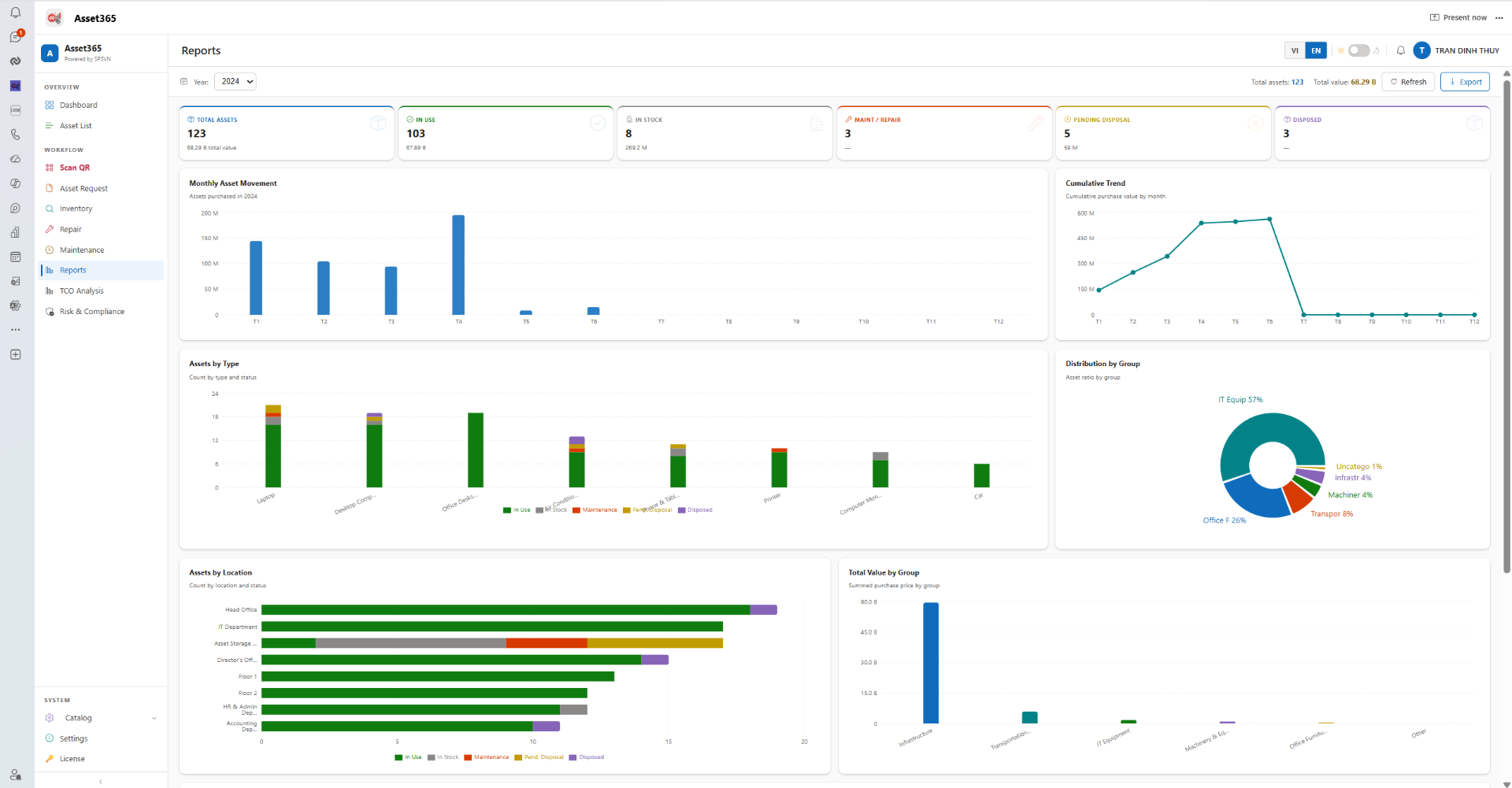
Everything you need to manage assets
Built natively for Microsoft 365 — secure, governed and ready for enterprise.
Asset registry
Centralize every asset with custom fields, categories, QR codes and full history.
Check-in / Check-out
Assign assets to employees, locations or projects with one click and full audit trail.
Maintenance & lifecycle
Schedule maintenance, track depreciation and plan replacements before things break.
Power BI ready
Live datasets feed dashboards in Power BI, Excel and Teams without extra connectors.
Microsoft 365 security
Inherits your tenant's identity, DLP, sensitivity labels and conditional access.
Teams & mobile
Use Asset365 from Microsoft Teams and any mobile browser — no install required.
Workflows in SP365, assets in Asset365
Run every asset request, approval and lifecycle event through SP365 Workflow. Asset365 listens to those events and keeps the asset record always up to date.
SP365 Workflow
Submit · Approve · Notify
- · Request form
- · Multi-level approval
- · Notify via Teams / Email
Asset365
Update status · Log history · Sync owner
- · Asset master data
- · Status & location tracking
- · Full audit history
Use cases out of the box
Asset assignment
Employee requests on SP365 → manager approves → Asset365 sets status to Assigned and records the owner.
Asset return
Return ticket on SP365 → IT confirms condition → Asset365 marks asset Available and updates location.
Maintenance
Maintenance request flows through SP365 approvals → Asset365 logs work order, downtime and next service date.
Disposal
Disposal proposal approved on SP365 → Asset365 retires the asset, freezes depreciation and archives history.
Try Asset365 in your own tenant
Install Asset365 from the SharePoint Store and explore every feature for 30 days — no credit card required. Your data stays in your Microsoft 365 tenant.
- Full feature access
- Unlimited assets during trial
- Email + chat support
Get it on SharePoint Store
Asset365 is distributed through Microsoft AppSource / SharePoint Store.
Get it on SharePoint Store Free trial